COMPLETE GAME GUIDE
Lobbystrike – Free Multiplayer Browser FPS
Lobbystrike is a first-person shooter designed to run in a web browser. It brings together quick arena firefights and larger team-based objectives, with no separate game installer required. Players can enter a public match, create a room for friends or practise against bots before joining a competitive round. The official website lists 23 game modes, 48 maps and 22 weapons, giving players several ways to approach each match.
Choose a mode that suits your play style
For direct action, Team Deathmatch sends two teams into a respawning battle where the first side to reach the kill limit wins. Free-for-all removes teams and makes every opponent a target. Snipers Only focuses on scoped rifle combat. If you prefer objectives, Domination asks teams to control marked zones, while Capture the Flag rewards coordinated attacks and defence. Search and Destroy uses round-based bomb planting and defusing, so patience and communication matter more than rushing.
There are also lighter party modes. Gun Game changes your weapon after each elimination, Infected turns one player into the starting threat, and Juggernaut pits an armoured fighter against everyone else. Battle Royale offers solo, duo and squad play, while Wave Survival lets a group face successive waves of bots.
Maps, weapons and loadouts
The official Lobbystrike site lists 48 maps across different environments, including compact arenas, multi-level locations and Battle Royale islands. A smaller close-quarters map encourages quick reactions and careful corner checks. Larger layouts give rifles and scopes more room to matter. Learning routes, cover positions and objective locations can be just as important as accurate shooting.
The arsenal includes assault rifles, machine guns, submachine guns, shotguns, marksman rifles, sniper rifles and pistols. Weapons have different handling characteristics, so choose a loadout that matches the map and mode. Rifles can use optics ranging from close-range sights to higher magnification scopes. Reload when you have a safe moment, watch your ammunition and avoid crossing open areas without cover.
Play with friends or practise with bots
Lobbystrike supports custom rooms that can be shared through an invite link or room code. A host can configure a room and invite friends for private matches. The official site also describes bots that can fill open player slots and participate in objective modes. This makes it possible to practise movement, aiming and map awareness even when you do not want to join a public match.
Controls and beginner tips
Use W, A, S, D to move and the mouse to look around and aim. The left mouse button fires, while the right mouse button aims down sights or uses a scope. Press R to reload, Space to jump and Shift to sprint. Use C to crouch, number keys to switch weapons, G to throw a grenade and V to change between first- and third-person camera views. The game allows key bindings to be changed in its settings.
- Use cover instead of running through open lanes.
- Learn the map and objective locations before choosing a route.
- Use the right weapon for the distance: shotguns for close encounters and scoped rifles for longer sightlines.
- Reload behind cover and keep track of your ammunition.
- Try bots or a private room to learn the controls before competitive matches.
How to play Lobbystrike online
- Select the Play Now button on this VEXORA page.
- The official Lobbystrike game opens in a new browser tab.
- Enter a player name and choose Play, or create or join a room.
- Select a mode, map and loadout, then enter the match.
- Use keyboard and mouse controls to move, aim, fire and work with your team.
Frequently asked questions
Is Lobbystrike free?
The official website describes Lobbystrike as free to play in a browser.
Do I need to install anything?
No separate game installation is required. The game loads through its official website.
Can I play with friends?
Yes. Create a room, optionally add a password and share the invite link or room code.
Can I practise alone?
The official site describes bot support, including matches with bots and a co-op Wave Survival mode.
Does it work on mobile?
The official website describes on-screen touch controls for phones and tablets. A keyboard and mouse are still recommended for precision.
Ready to play? Press Play Now to open the official Lobbystrike game.
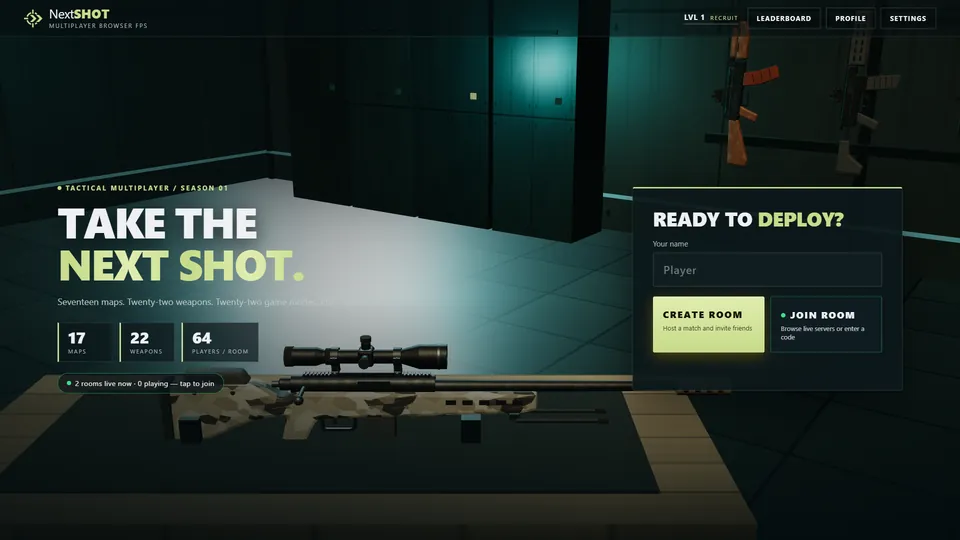 Enter the Lobbystrike battlefieldLaunch the official multiplayer FPS. The game opens on its original website.